


Executive Summary
Today, every business needs fast and reliable access to data across regions. Traditional databases often fail when it comes to handling scale, latency, or uptime. Amazon Aurora DSQL changes that. It is a fully serverless distributed SQL database that provides high performance, strong consistency, and global availability. Aurora DSQL combines the simplicity of a managed service with the power of distributed SQL, making it one of the best choices for global enterprise applications.
What Is Amazon Aurora DSQL?
Aurora DSQL is a distributed SQL engine built on a serverless architecture. Unlike traditional databases, it scales automatically without any manual setup or sharding. Compute, storage, reads, and writes all scale independently, ensuring smooth performance during both peak and idle times.
The biggest advantage is that Aurora DSQL is compatible with PostgreSQL. That means existing applications, tools, and drivers can connect to it easily without rewriting code. This makes migration faster and reduces the time it takes to start using the system in production.
Architecture and Availability
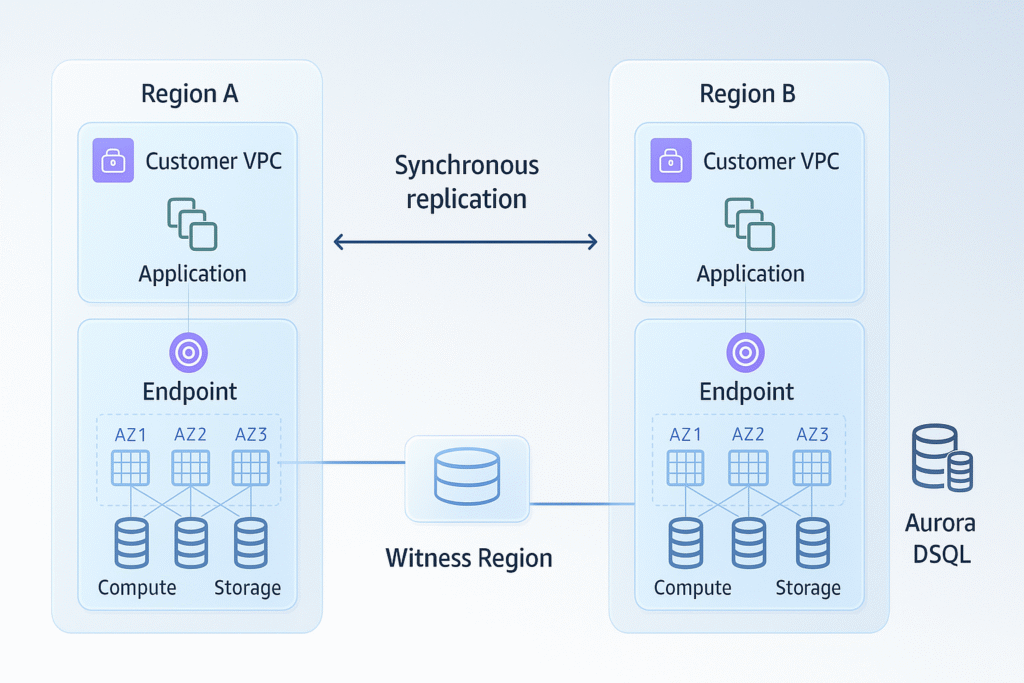
Aurora DSQL is designed to deliver high performance, continuous availability, and self-healing capabilities. Data is automatically distributed across multiple availability zones and can be extended across regions. This setup removes single points of failure and provides a high level of fault tolerance.
Aurora DSQL offers up to 99.99% availability for single-region setups and up to 99.999% in multi-region deployments. It automatically detects and handles failures while maintaining data consistency. Security is built into the architecture with encryption at rest and in transit, IAM-based access control, and private connectivity options.
The end result is a system that is fast, safe, and always ready for global workloads.
Why Distributed SQL Matters Now
Most traditional databases were not designed to operate across multiple regions or handle global scale. They often struggle with replication, failover, and manual scaling. Distributed SQL databases solve this by spreading data and compute across multiple nodes, allowing for horizontal scaling and strong consistency.
Aurora DSQL brings these benefits to the cloud with serverless automation. For companies building global SaaS, fintech systems, or transactional apps, it offers:
- Low-latency reads and writes worldwide
- Strong consistency across all regions
- Easy scaling with no downtime
- Fully managed infrastructure
This means businesses can grow globally without worrying about complex database management.
Performance and Operations
Aurora DSQL separates compute, storage, reads, and writes so each can scale on its own. This design removes bottlenecks and ensures fast performance even during traffic spikes.
There is no manual tuning, provisioning, or patching required. Aurora DSQL handles all of that automatically. This helps development teams save time and reduce operational costs while maintaining stable performance.
Because it is serverless, Aurora DSQL can quickly adjust to workload changes, ensuring that your applications remain responsive and reliable.
Global Multi-Region Capability
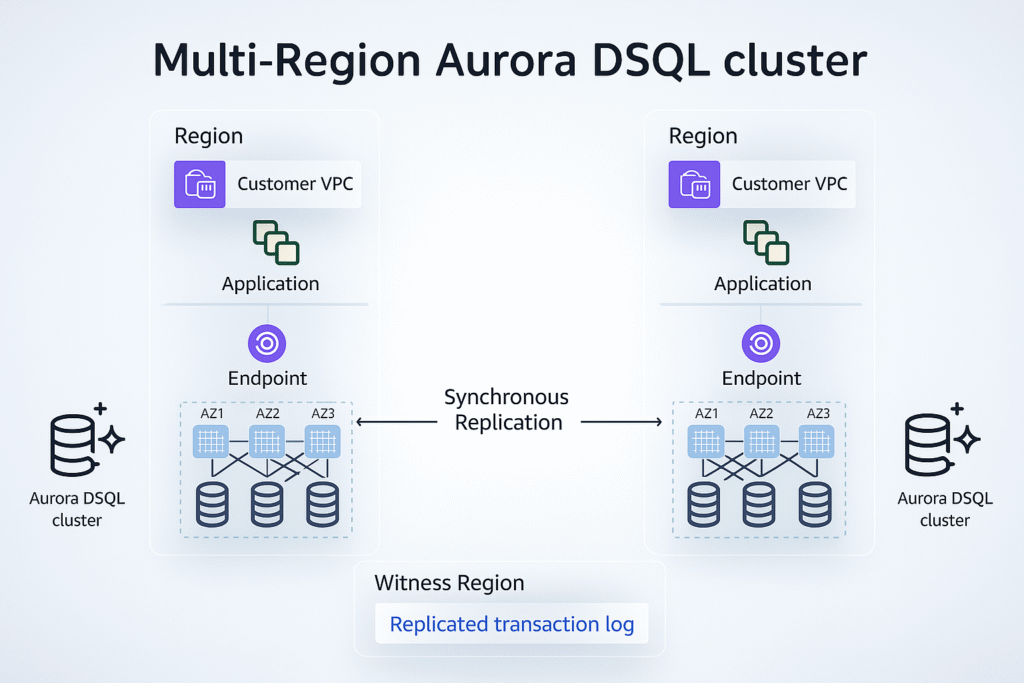
Aurora DSQL supports active-active multi-region setups, which means you can read and write from any region endpoint while keeping strong consistency. This is ideal for businesses with users across multiple locations or for industries that cannot afford downtime.
If one region experiences a failure, Aurora DSQL automatically continues operations from another region with minimal delay. This feature provides real business continuity for critical workloads like finance, healthcare, and large SaaS platforms.
Security, Compliance, and Governance
Aurora DSQL provides enterprise-grade security features including encryption, IAM integration, and full audit logging. Data is protected both in storage and during transfer. Private VPC connections ensure that data remains isolated from the public internet.
For compliance, the database supports centralized backups, versioning, and monitoring. Governance is easy to manage through IAM policies and activity logs, which makes it suitable for industries that must follow strict regulatory standards.
Migration and Compatibility
One of Aurora DSQL’s best features is its PostgreSQL compatibility. It supports the same syntax, tools, and APIs as PostgreSQL, allowing for quick migration from existing systems.
Organizations can use a phased migration approach – first running test traffic in parallel (shadow traffic) and then switching to full production once performance is validated. This ensures a smooth and safe transition to the new system.
Cost and Efficiency
Aurora DSQL uses a pay-as-you-go pricing model. You only pay for what you use. When the workload drops, the cost automatically goes down because the database scales down.
This is especially useful for applications with unpredictable usage patterns. It ensures you get the best performance while keeping costs under control. Aurora DSQL helps companies manage budgets more efficiently while benefiting from full serverless flexibility.
Use Cases
Finance – Real-time payments and global transaction systems with strong consistency.
Retail and E-commerce – Scalable databases for seasonal spikes and multi-region sales.
Healthcare – Secure patient data with consistent performance and compliance.
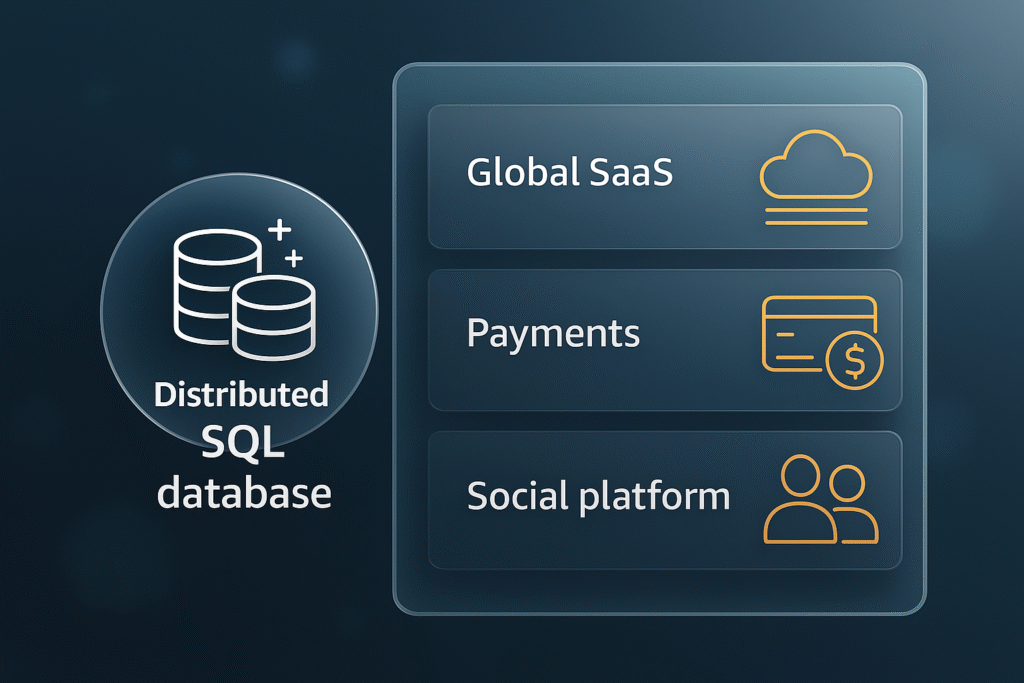
SaaS Platforms – Reliable and scalable backend for global users with low latency.
Aurora DSQL vs Traditional Managed SQL
| Feature | Traditional Managed SQL | Aurora DSQL |
|---|---|---|
| Scaling | Manual setup | Automatic and serverless |
| Global Writes | Complex replication | Active-active with consistency |
| Availability | Around 99.95% | Up to 99.999% |
| Management | Manual patching and tuning | Fully managed |
| Compatibility | Limited | PostgreSQL compatible |
Implementation Checklist
- Identify your workload and availability needs.
- Choose single-region or multi-region setup.
- Set up IAM roles, encryption keys, and private networking.
- Create your Aurora DSQL cluster.
- Configure monitoring and alerts for performance.
- Connect your app using PostgreSQL drivers.
- Test workloads under peak and normal conditions.
- Set up cost controls and autoscaling limits.
- Move production traffic step by step.
- Test failover and disaster recovery readiness.
Risks and Mitigations
Misconfigurations or over-permissioned access can lead to security or cost issues. Use least-privilege IAM policies and network isolation to reduce risk. Cost spikes can be managed with budgets and scaling thresholds. Start with a single-region setup before expanding globally to manage complexity effectively.
FAQs
1. What uptime can I expect from Aurora DSQL?
You can expect up to 99.999% availability in multi-region deployments.
2. Can I perform writes in multiple regions?
Yes, it supports active-active writes globally with full consistency.
3. Is it compatible with PostgreSQL?
Yes, it is built to work seamlessly with PostgreSQL tools and drivers.
4. How is pricing calculated?
You pay only for the compute, storage, and I/O you use.
5. What types of workloads is it best for?
It’s ideal for SaaS, finance, healthcare, and retail systems.
6. How does it handle data durability?
Data is replicated automatically across multiple availability zones and regions.
7. Does it require maintenance?
No, AWS handles updates, scaling, and patching automatically.
8. Can I test it before migrating fully?
Yes, you can start with a pilot or shadow deployment before going live.
Conclusion and Next Steps
Aurora DSQL is changing the way enterprises think about databases. It combines SQL reliability with serverless flexibility, global reach, and operational simplicity. With built-in availability, scaling, and security, it’s ready for the next generation of global applications.
To get started, begin with a small workload, measure performance and cost, and expand once validated. Aurora DSQL is not just a new database service – it’s a smarter foundation for building fast, scalable, and resilient global systems.