


The wait is officially over. As of December 2, 2025, WordPress 6.9-codenamed “Gene” in honor of jazz pianist Gene Harris-is available for download.
For the past two years, we’ve been hearing about “Gutenberg Phase 3: Collaboration,” the ambitious plan to turn WordPress from a solo content management system into a Google Docs-style workspace. With version 6.9, that vision has finally arrived. This isn’t just a cosmetic update; it is a fundamental shift in how teams build and publish content together.
Whether you are a solo blogger, a marketing agency, or a developer preparing for the AI revolution, here is absolutely everything you need to know about WordPress 6.9.
1. The Headliner: “Notes” (Native Collaboration)
If you only remember one thing about this update, make it this: The days of emailing Google Docs drafts back and forth are over.
For the first time, WordPress Core includes a native, block-level commenting system called “Notes”.
How It Works
Previously, if an editor wanted to suggest a change to a headline, they had to take a screenshot, annotate it in a separate tool, or leave a comment in a third-party plugin.
Now, you can simply click on any block-a paragraph, an image, or a quote-and leave a comment directly attached to it.
- Threaded Conversations: You can reply to comments, creating a structured thread right inside the editor sidebar.
- Resolve & Archive: Once a change is made, you can mark the note as “Resolved,” clearing it from the view but keeping it in the history.
- Notifications: When someone mentions you or leaves a note on your post, WordPress sends an email notification automatically, ensuring you never miss feedback.
Why This Matters
This feature targets the biggest pain point for agencies and newsrooms: the “disconnect” between drafting and publishing. By keeping the feedback loop entirely inside WordPress, you reduce the risk of copy-paste errors and version control nightmares.
2. New Blocks: Native Solutions for Common Problems
WordPress 6.9 introduces four highly requested blocks that effectively “Sherlock” (replace) dozens of popular third-party plugins.
A. The Accordion Block
For years, users have had to install heavy plugins just to add a simple FAQ section. Version 6.9 introduces a native Accordion Block.
- Structure: It’s built with three nested components-the main Accordion wrapper, the Item, and the Panel.
- Customization: You can toggle icons (plus/minus), control auto-closing behavior (so opening one tab closes the others), and style it globally using the Site Editor.
- SEO Benefit: Because it’s native, the HTML structure is semantic and lightweight, which is better for SEO than many bloated plugin alternatives.
B. The Math Block
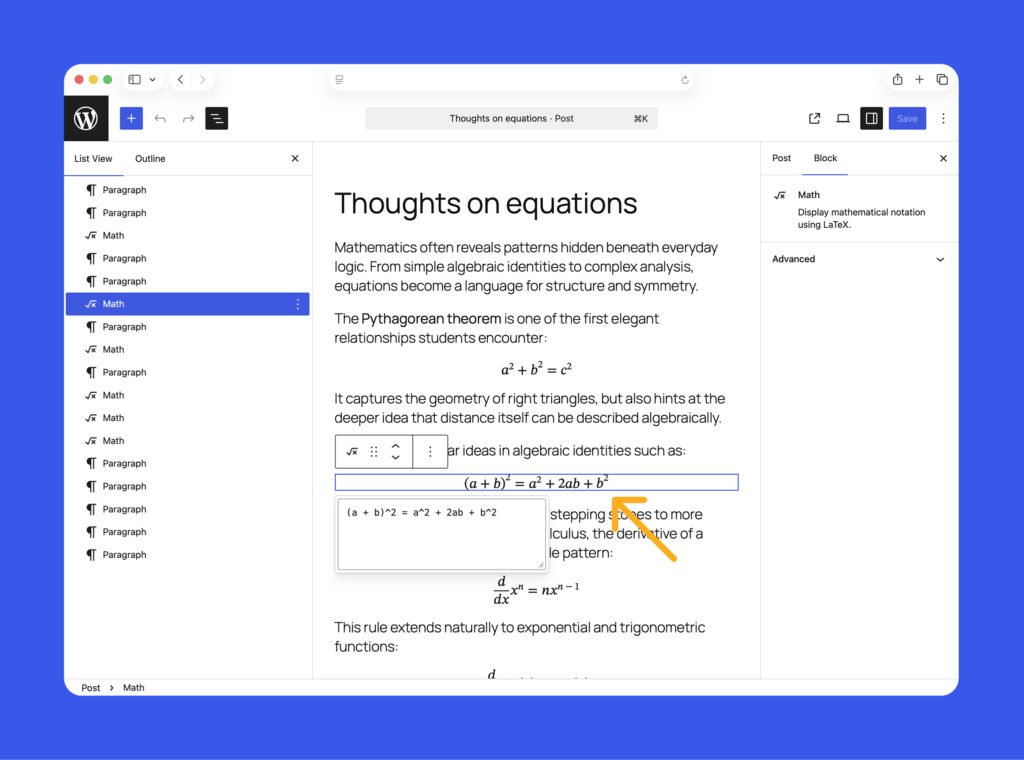
Educational and scientific publishers often struggle to display complex equations. The new Math Block brings native LaTeX-style formula support to the editor.
- Inline & Standalone: You can insert a massive equation as its own block or slip a small formula $E=mc^2$ directly inside a paragraph.
- Visual Rendering: It renders the math visually in the editor, so you see exactly what the student or reader will see.
C. Time-to-Read & Word Count
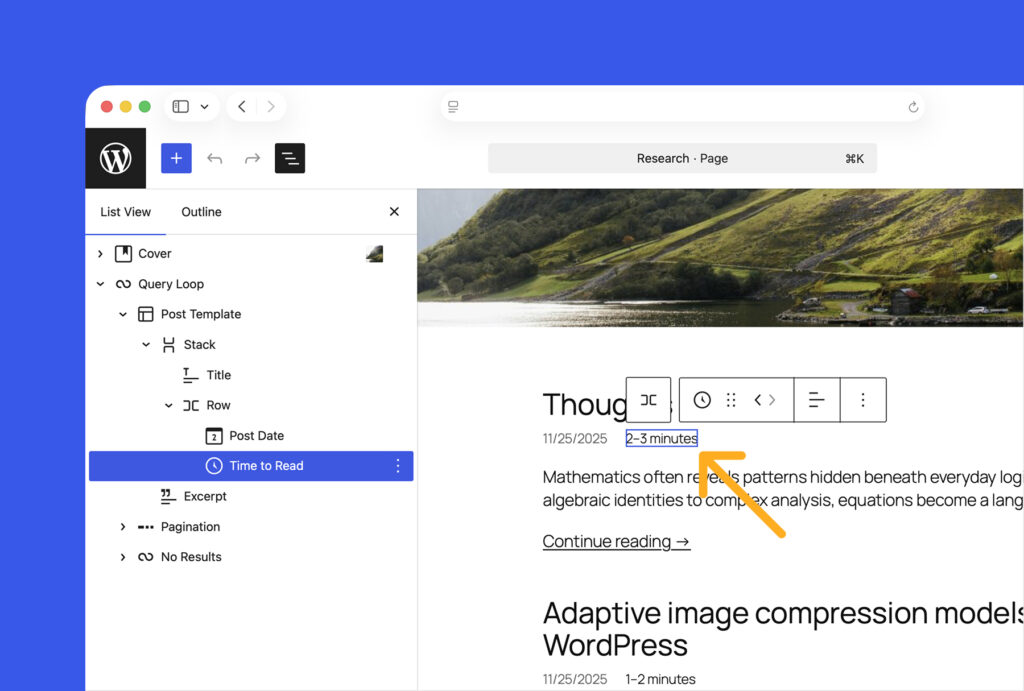
These are two separate but related dynamic blocks.
- Time-to-Read: Automatically calculates the estimated reading time based on the content length. This is excellent for improving User Experience (UX) on long-form articles.
- Word Count: A simple block that displays the total word count, useful for stats dashboards or academic submissions.
D. The Term Query Block
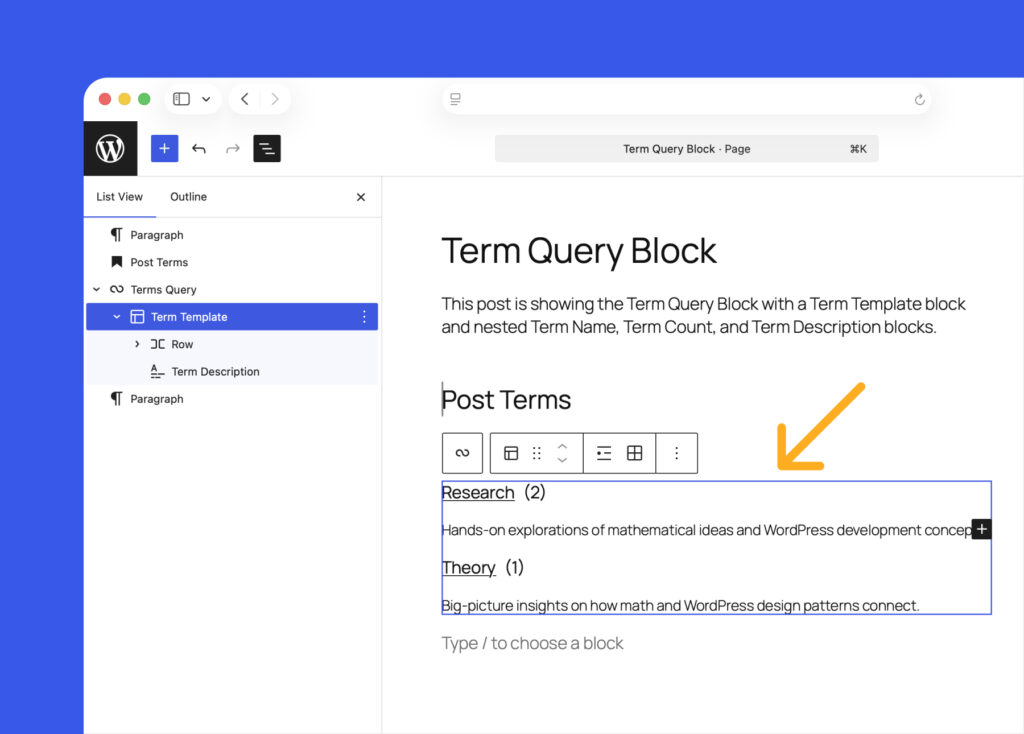
This is a powerhouse for site builders. It allows you to create dynamic lists of categories, tags, or custom taxonomies anywhere on your site.
Example Use Case: You can build a “Browse by Topic” section on your sidebar that automatically updates whenever you add a new category, without writing a single line of PHP code.
3. The “Hidden” Block (Content Staging)
One of the stealthiest but most powerful features in 6.9 is the ability to “Hide” blocks.
This is distinct from “drafting” a post. This feature allows you to have a published page where specific blocks are visible to you (the admin) in the editor, but completely invisible to the public on the frontend.
Use Cases:
- Seasonal Content: Create a “Black Friday Sale” banner in October, keep it hidden, and simply toggle it to “Visible” on the morning of the sale.
- A/B Testing: Draft two versions of a headline. Keep one hidden and swap them later to test performance manually.
- Editorial Notes: Leave giant visual instructions for your client right on the canvas that they can see while editing, but that never appear on the live site.
4. UX Improvements: A Smoother Workflow
Command Palette Everywhere
The Cmd+K (or Ctrl+K) shortcut, previously limited to the Site Editor, now works globally across the entire WordPress dashboard.
You can be in the “Settings” menu and instantly jump to “Edit Page: About Us” or “Create New Post” without touching your mouse. It’s a massive speed booster for power users.
Visual Drag & Drop
Moving blocks around has sometimes felt “floaty” or imprecise. The new Visual Drag & Drop engine shows you exactly where a block will land before you let go of the mouse button. While currently optimized for single blocks, it makes rearranging complex layouts much less frustrating.
Simplified Editing Mode
Agencies will love this. You can now lock down the editor for specific user roles. The Simplified Editing Mode hides complex design controls (like margins, padding, and block spacing) and focuses purely on content. This prevents clients from accidentally “breaking” the site layout while trying to update a blog post.
5. For Developers: The “Abilities API” & The Future of AI
Under the hood, WordPress 6.9 introduces the Abilities API, arguably the most significant architectural change in years.
What is it?
It is a standardized way for plugins and themes to register “what they can do” in a machine-readable format.
Why is it huge?
It paves the way for AI Agents.
Imagine asking an AI assistant, “Build me a contact page.”
Without the Abilities API, the AI has to guess which form plugin you have.
With the Abilities API, the AI can query your site, see that “Fluent Forms” is installed and has a registered ability called create_form, and then execute that ability natively.
It essentially creates a common language for AI tools to interact with WordPress plugins without needing custom integrations for every single tool.
6. Performance & Tech Specs
As with every major release, performance was a priority.
- Script Optimization: The way JavaScript loads has been refined, reducing the “time to interactive” for complex pages.
- PHP Support: WordPress 6.9 continues to improve compatibility with PHP 8.x versions, ensuring your site runs faster and more securely on modern servers.
- Interactivity API: The API that powers instant features (like “add to cart” without reloading) received updates for better client-side navigation and smarter asset loading.
FAQ: Common Questions About WordPress 6.9
Q: Is it safe to update immediately?
A: While 6.9 is stable, it is a major release. We recommend waiting 7-14 days for the first “maintenance patch” (6.9.1) if you run a mission-critical site. Always backup your database before clicking update.
Q: Will this break my page builder (Elementor/Divi)?
A: Most major page builders have already released compatibility updates. However, the new “Notes” feature might not work inside a proprietary builder’s interface immediately. Check your page builder’s changelog first.
Q: Is there a new default theme (Twenty Twenty-Six)?
A: No. WordPress 6.9 does not ship with a new default theme. It continues to use Twenty Twenty-Five as the standard, focusing instead on improving the Site Editor tools.
Q: Can I turn off the “Notes” feature?
A: Yes. If you are a solo user and don’t want the collaboration clutter, you can disable Notes in the screen options or via code snippets for specific post types.
Q: Does the Math block require a plugin?
A: No! That is the beauty of it. It is now part of the WordPress Core, meaning you can uninstall plugins like “MathJax-LaTeX” if you only need standard formula display.
Conclusion: Should You Update?
WordPress 6.9 “Gene” is a mature, professional update. It moves the platform away from just being a “website builder” and towards being a content operating system.
If you work in a team, the Notes feature alone is worth the update. If you are a developer, the Abilities API is a playground you’ll want to start exploring immediately.
Our Verdict: Update your staging site today, test your plugins, and get ready to collaborate.